


In This Article
- 01Hire UI/UX Designers: Transform Your App or Website Design Today
- 02Why You Should Hire UI/UX Designers
- 03How Hiring UI/UX Designers Improves Engagement
- 04Key Features a Professional UI/UX Designer Offers
- 05Steps to Hire the Right UI/UX Designers
- 06Common Mistakes to Avoid When Hiring UI/UX Designers
- 07Benefits of Hiring UI/UX Developers Alongside Designers
- 08How Hiring UI/UX Designers Impacts ROI
- 09Tools and Technologies Used by UI/UX Designers
- 10Conclusion
Key Takeaways:
- Professional UI/UX designers create user-friendly interfaces that reduce bounce rates, increase conversions, and reflect brand identity
- Hiring UI/UX designers alongside UX developers ensures designs are not only beautiful but technically feasible and functional
- Good UI/UX directly impacts ROI: better usability increases purchases, reduces support costs, and builds competitive advantage
- Designers use structured processes: research, wireframing, prototyping, visual design, and usability testing before handoff
- Key tools include Figma, Adobe XD, and Sketch for design; Google Analytics and Hotjar for behavioral analysis and optimization
- Avoid common mistakes: choosing based purely on aesthetics, skipping user research, and neglecting mobile users and accessibility
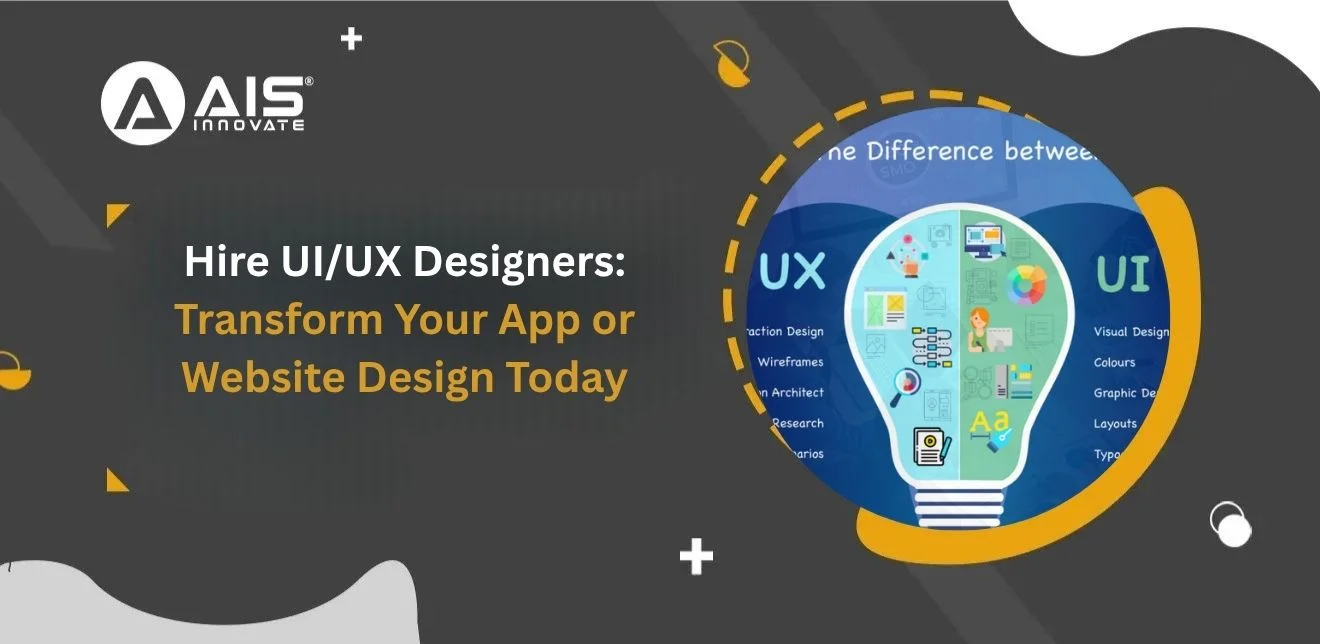
Hire UI/UX Designers: Transform Your App or Website Design Today
Introduction
In the digital age, a website or app's success depends on how users interact with it. To achieve a seamless, engaging, and high-converting digital experience, businesses need to hire UI/UX designers. These experts specialize in creating interfaces that are visually appealing, intuitive, and functional. By integrating strategic design principles, you can improve usability, retain customers, and increase overall satisfaction. If you want your product to stand out in a competitive market, hiring UI/UX developers is no longer optional—it’s essential.
Why You Should Hire UI/UX Designers
Hiring a professional UI/UX designer brings numerous benefits for your digital platform. Here’s why investing in expert designers is crucial:
- Enhanced User Experience: Skilled designers focus on creating interfaces that are easy to navigate, reducing user frustration and bounce rates.
- Boost Conversions: A well-designed UI/UX directly influences customer actions, increasing sales, sign-ups, or downloads.
- Brand Consistency: Designers ensure your digital product reflects your brand identity with cohesive visuals and interactions.
- Time and Cost Efficiency: Professionals can deliver scalable designs faster, reducing costly trial-and-error during development.
Hiring UI/UX developers ensures that your design is not only aesthetic but also technically feasible, creating a seamless user journey.
How Hiring UI/UX Designers Improves Engagement
Engagement is key to retaining users and building loyalty. When you hire UI/UX designers, you unlock strategies that increase user interaction:
- Intuitive Navigation: Proper layout and information hierarchy guide users naturally
- Responsive Design: Designers create interfaces that adapt seamlessly across devices, improving user satisfaction.
- Interactive Elements: Buttons, sliders, and animations make your platform engaging without overwhelming users.
- Accessibility: UI/UX experts ensure your website or app is usable for everyone, including people with disabilities.
Moreover, employing UI/UX developers guarantees these features are implemented efficiently and perform flawlessly across platforms.
Key Features a Professional UI/UX Designer Offers
To maximize your digital platform's impact, a professional UI/UX designer focuses on these key areas:
- User Research: Understands user behavior, needs, and pain points to tailor the experience.
- Wireframing & Prototyping: Visualizes the app or website layout before development.
- Visual Design: Creates appealing color schemes, typography, and imagery aligned with brand identity.
- Interaction Design: Defines how users interact with elements, enhancing usability.
- Usability Testing: Ensures the product meets user expectations and functions smoothly.
Hiring UI/UX developers at this stage ensures that the designs translate into functional, bug-free applications.
Steps to Hire the Right UI/UX Designers
Finding the right talent requires a strategic approach. Here’s how to hire UI/UX designers effectively:
- Evaluate Portfolios: Review past projects to gauge design skills and style compatibility.
- Check Technical Expertise: Ensure familiarity with design tools (Figma, Adobe XD, Sketch) and coding basics.
- Assess Problem-Solving Skills: UI/UX designers must understand user problems and provide innovative solutions.
- Collaboration Ability: Designers should work well with developers, marketers, and project managers.
- Request a Trial Project: Evaluate real-world performance and alignment with your brand’s goals.
Working with UI/UX developers in tandem guarantees that the design concepts are feasible and effectively implemented.
Common Mistakes to Avoid When Hiring UI/UX Designers
Even with the right intentions, companies can make errors while hiring. Avoid these pitfalls:
- Focusing Only on Aesthetics: A beautiful design without usability fails. Always balance form with function.
- Ignoring User Research: Skipping research leads to designs that don’t meet user needs.
- Not Checking Compatibility: Ensure designers’ work style fits your team and project requirements.
- Overlooking Mobile Users: A website or app must perform well on smartphones and tablets.
- Underestimating Testing: Lack of usability testing can cause functionality issues and negative reviews.
Hiring UI/UX developers alongside designers helps bridge design with functionality, preventing these mistakes.
Benefits of Hiring UI/UX Developers Alongside Designers
While UI/UX designers focus on the look and feel, UI/UX developers bring designs to life. Benefits include:
- Seamless Implementation: Developers translate design mockups into fully functional platforms.
- Optimized Performance: They ensure smooth loading, minimal errors, and efficient coding practices.
- Cross-Browser Compatibility: Developers make sure your website or app works on all browsers.
- Ongoing Support: They provide updates, fix bugs, and enhance features as user needs evolve.
A combined team of designers and developers guarantees that your project is both visually stunning and technically sound.
How Hiring UI/UX Designers Impacts ROI
Investing in professional UI/UX design isn’t just about aesthetics; it directly affects your bottom line:
- Higher Conversions: User-friendly platforms increase purchases, sign-ups, and downloads.
- Customer Retention: Engaging interfaces keep users coming back.
- Reduced Support Costs: Intuitive design lowers confusion and customer service inquiries.
- Competitive Advantage: A superior UX can distinguish your brand from competitors.
Hiring UI/UX developers ensures your ROI is maximized as designs function flawlessly and efficiently.
Tools and Technologies Used by UI/UX Designers
Professional designers leverage advanced tools to create impactful experiences:
- Design Tools: Figma, Adobe XD, Sketch
- Prototyping Tools: In Vision, Marvel, Axure
- Analytics Tools: Google Analytics, Hotjar
- Collaboration Tools: Zeplin, Jira, Trello
- Usability Testing Platforms: User Testing, Lookback
When paired with skilled UI/UX developers, these tools translate designs into interactive and efficient digital products.
Conclusion
In today’s competitive digital landscape, businesses that hire UI/UX designers gain a strategic advantage. From enhancing user engagement to improving conversions, a professional design team ensures your platform meets user expectations and business goals. Complementing this with UI/UX developers guarantees flawless implementation and ongoing support. Call Us Today to elevate your app or website design and create a seamless, high-impact user experience.
LET'S DISCUSS YOUR IDEAS
Great design is not optional anymore — it is what keeps users engaged and buying. Our expert team of UI/UX designers crafts interfaces that are fast, fluid, and conversion-driven.
Hire UI/UX Designers Now
 11 March 2024